
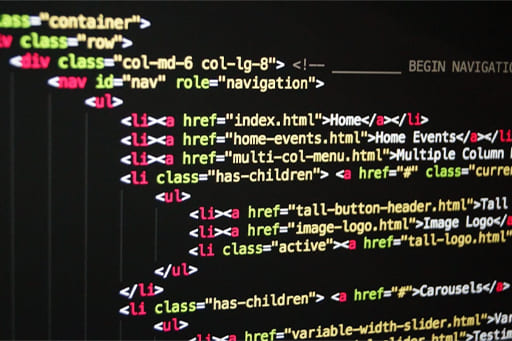
Creating a website might seem like a daunting task, but with the right tools and knowledge, it can be a straightforward and rewarding process. Whether you’re building a personal blog, a portfolio, or a business website, this guide will walk you through the basic steps to get your website up and running.
Plan Your Website
Before jumping into the technical aspects, it’s important to plan out what you want your website to achieve. Consider the following:
- Purpose: Is it a personal blog, a business site, or an online store?
- Content: What kind of content will you feature on the site? Text, images, videos, etc.
- Design: What should your website look like? Sketch out a basic design or layout.
- Target Audience: Who will visit your site? This can influence design and functionality.
Choose a Domain Name and Hosting Provider
A domain name is the address of your website (e.g., www.yoursite.com), and web hosting is where your site’s files will live. Toky
- Domain Name: Pick a short, memorable name that relates to your website’s content or brand. Use domain registration platforms like GoDaddy, Namecheap, or Google Domains to search for available names.
- Web Hosting: Choose a hosting provider that offers reliable service. Popular providers include Bluehost, SiteGround, and HostGator. For beginners, some hosts offer one-click WordPress installations, making setup easier.
Decide on a Website Building Method
There are several ways to build a website. Your choice will depend on your technical skill level, budget, and website goals.
- Website Builders (Beginner-friendly): Tools like Wix, Squarespace, or Weebly are drag-and-drop platforms that allow you to create a website without coding. They come with pre-made templates and offer an easy interface for customization.
- Content Management Systems (CMS): WordPress is the most popular CMS, offering more flexibility and customization options. While it’s more powerful, it also requires a bit more learning. Other CMS options include Joomla and Drupal.
- From Scratch (Advanced): If you’re comfortable with coding, you can build your site using HTML, CSS, JavaScript, and back-end programming languages like PHP or Python. This method offers the most control but requires technical expertise.
Design Your Website
Designing your website includes both the aesthetic and functional aspects.
- Themes and Templates: Website builders and CMS platforms offer pre-designed themes or templates that can be customized. Choose one that suits your purpose, whether it’s for a business, blog, or portfolio.
- User Experience (UX): Make sure the website is easy to navigate. Keep menus simple and make content accessible.
- Mobile Responsiveness: Ensure your website works well on mobile devices, as many users access websites via smartphones and tablets.
- Color Scheme & Fonts: Choose a color scheme and fonts that align with your brand and ensure readability.
Create Content
Content is king. Now that you have the design ready, focus on adding high-quality content to your website.
- Text: Write clear, concise copy that aligns with your website’s goal. Use headings, subheadings, and bullet points to make the content easy to read.
- Images and Media: Use high-quality images and videos that support your content. Make sure they’re optimized for fast loading times (compress images and videos without losing quality).
- SEO: Optimize your content for search engines by using relevant keywords, adding alt text to images, and ensuring your site has proper metadata. This will help your website rank higher in search engine results.
Publish and Test Your Website
Before you launch, thoroughly test your website to make sure everything works smoothly:
- Check all links: Make sure all internal and external links are working properly.
- Test responsiveness: Check how your site looks on different devices and browsers (Chrome, Safari, Firefox, etc.).
- Speed: Use tools like Google PageSpeed Insights to analyze the speed of your website and make adjustments if needed.
- Backup: Before publishing, make sure you back up your website so you can recover it if something goes wrong later.
Launch Your Website
Once everything looks good and works properly, it’s time to make your website live! You can do this by publishing the files to your hosting server, or if you’re using a website builder, there will be an option to go live.
Promote Your Website
After launching, you’ll need to get traffic to your website. Some ways to promote your site include:
- Social Media: Share your website on platforms like Facebook, Twitter, Instagram, and LinkedIn.
- Email Marketing: Collect email addresses and send newsletters to inform your audience about new content or offers.
- Search Engine Optimization (SEO): Continue optimizing your content to improve your search engine ranking.
Maintain and Update Your Website
Once your site is live, ongoing maintenance is crucial for success.
- Update Content Regularly: Keep your content fresh and relevant to encourage repeat visitors.
- Security: Ensure your website has proper security measures in place (SSL certificates, software updates, etc.).
- Backups: Regularly back up your site’s files and databases to avoid losing important data.
Conclusion
Creating a website involves several steps, but with the right tools and approach, anyone can create a professional and functional online presence. Whether you’re a beginner or an experienced developer, there are options for building a website that suits your needs. Plan carefully, choose the right tools, and promote your website to achieve success. With these steps, you’re well on your way to launching your own website!
Laisser un commentaire